Welcome to the official landing page for DBM!
Deadly Boss Mods was created in 2007 under the name La Vendetta Boss Mods and built for Naxxramus, it was then rebranded to Deadly Boss Mods in TBC. It was built to help players clear content in World of Warcraft and it’s still going strong and helps millions of players every month for both World of Warcraft and World of Warcraft Classic.
It was created by Tandanu (Paul) for his guild and quickly expanded, mostly under the DBM name in TBC. During Wrath of the Lich King, Adam (MysticalOS) took over the project and has worked on it since Tandanu and Nitram stepped away from the project.




/dbm – shows/hides the GUI
/dbm help – Shows all the other slash commands and how to use them.
/dbm help2 – can show tools more oriented to officers/raid leaders
/dbm timer – has options of it’s own:
These options can be used pretty much anywhere in game and the usages can get pretty creative. For example, I might be doing dailies and put a pizza in the oven. Just so I don’t forget about it I might do “/dbm ctimer 660 Check Pizza” . This would create a timer on my screen right there in tenaan that also has an audio countdown to double ensure I don’t miss it. I go a little further with this if I’m near computer afking in garrison (because that’s what we do in warlords). I may be on my mat doing 30 or 60 second workout excersizes and need a way to time them better. So I do “/dbm timer cltimer 30 workoutloop” then step away from computer. This creates an indefinite loop countdown timer where I can literally use dbms audio countdown as my 30 second repeater. When I’m done I terminate this loop with “/dbm timer endloop”
/dbm hud – has several options:
Many of these are follow the leader type features. Back in the day when Ashran pre mades weren’t ruined by 6.2, I might have been in an nemesis premade and needed to keep tabs on leader so it was easier to follow. I’d use hud commands for this. I might do “/dbm hud yellow target” while targeting the leader and now I have a dot that worked as a compass to run toward. If I wanted to take this further I might do “/dbm hud arrow target” which literally paints an arrow from you all the way to target. I’d call “/dbm hud hide” when done. Notice I omitted duration from my examples. If duration is left blank then duration is set to 20 minutes. This makes it easy to use feature if you don’t really know how long you plan to use it for, since you can always disable it with “hide”
/dbm arrow – also has several options:
This can be used much in the same way as TomTom or any other arrow addon. You can do something like “/dbm arrow map x y” in ANY zone and you will get an arrow pointing to that spot. DBM supports both local map coords and world map coords. The arrow can also be used for follow the leader type stuff by doing “/dbm arrow target” while targeting them.
- Mods for raid, dungeon, special event and Brawlers Guild
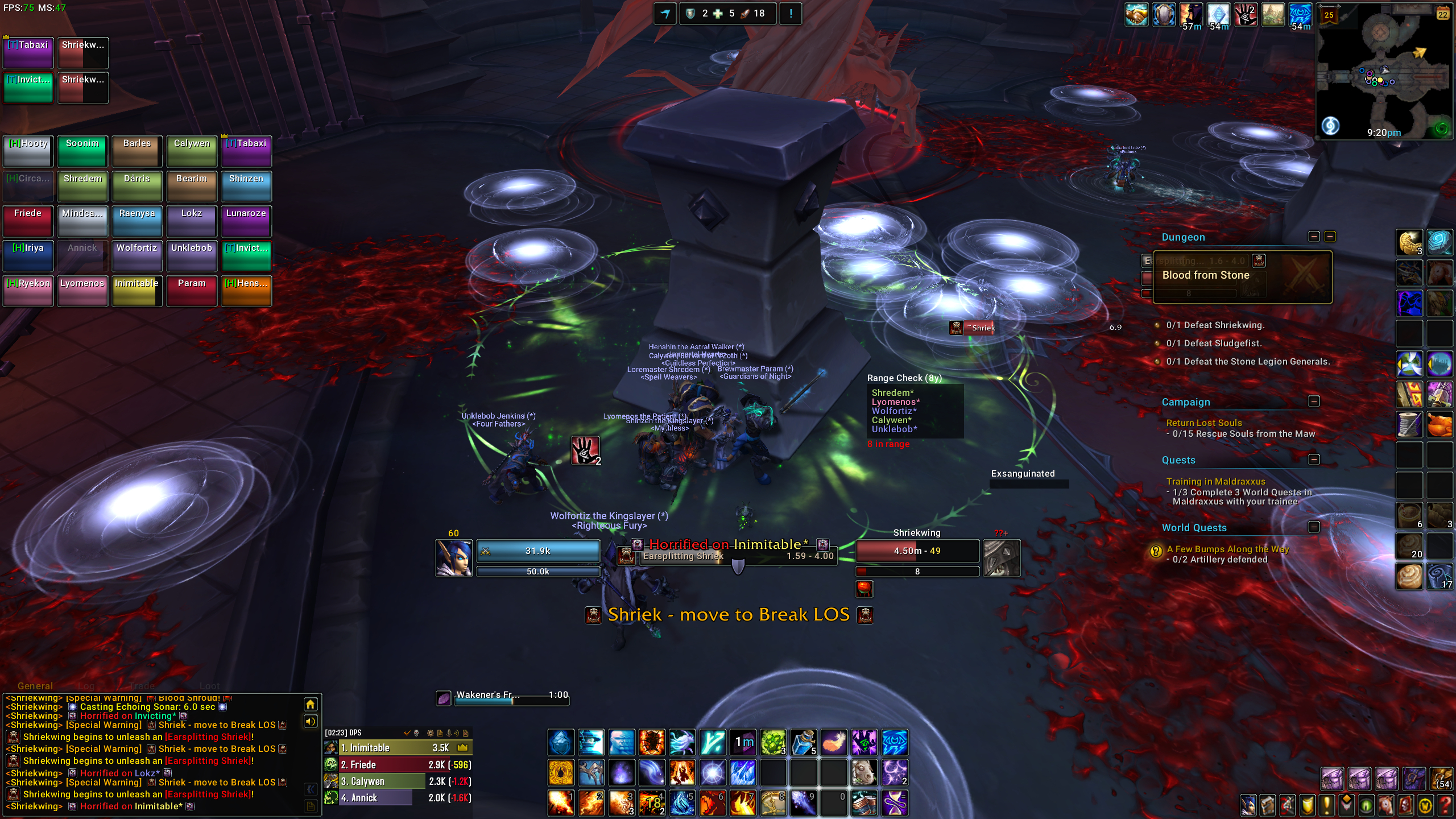
- Colored raid warnings (players will be colored according to their class) with icons and to the point messaging. DBM aims to let you know what to do for something, not just show you a spell name.
- A big focus on filtering/hiding what you don’t need to know for your role (or what you can’t do anything about such as dispel/interrupt on cooldown), so you can focus on the information you do need, while also maintaining ability to disable these filters for leaders that do want a larger overview of fight events.
- Auto-respond during boss fights. DBM will inform anyone who whispers you during a boss fight that you are busy. These messages contain the name and health of the boss as well as the raid’s status. This feature is completely optional and can be disabled by player or even raid leader for the entire group.
- Bars can be enlarged with custom effects when they are about to expire
- Bars that not only show time remaining, but make use of colors and icons to show what type of ability is coming and what role it’s for. DBM aims to help you process these bars at a glance.
- Crash/DC recovery: you had a disconnect or crash during a boss fight? No problem for DBM! It will request the timer and combat status information from other DBM users in your raid group and you get your timers back
- Infoframes that is used to show fight overviews or specific mechanics related to fight to help give you need to know information at a quick glance.
- Modular design – all boss mods are plugins and can be exchanged, removed or updated separately
- Load on demand – all boss mods are separate AddOns and they will be loaded when they are needed. So they don’t use memory or cpu until you enter the corresponding instance
- Special effects like the screen flash effect, huge warning messages and sounds will draw your attention to critical events with as much customizing of those flashes and sounds as possible to make them effective to your needs.
- Support for SharedMedia, so you can use any texture for your bars and choose sounds from external sources more easily.
- Best possible support for PTR/Beta encounter testing. DBM is only mod to provide cutting edge auto learning timers right in middle of your testing so you know what’s coming and when, before anyone has ever even seen the fight before.
- Support for voice packs in many different supported languages. Every mod puts careful thought into what the best voice for an alert is that clearly and concisely advices action based on warning. No generic spell name TTS here. DBM voice packs will say something meaningful and not just make more noise for you to ignore.
- Any feature that makes sense to do so has good callbacks that WAs authors can use for best possible WeakAuras integration.
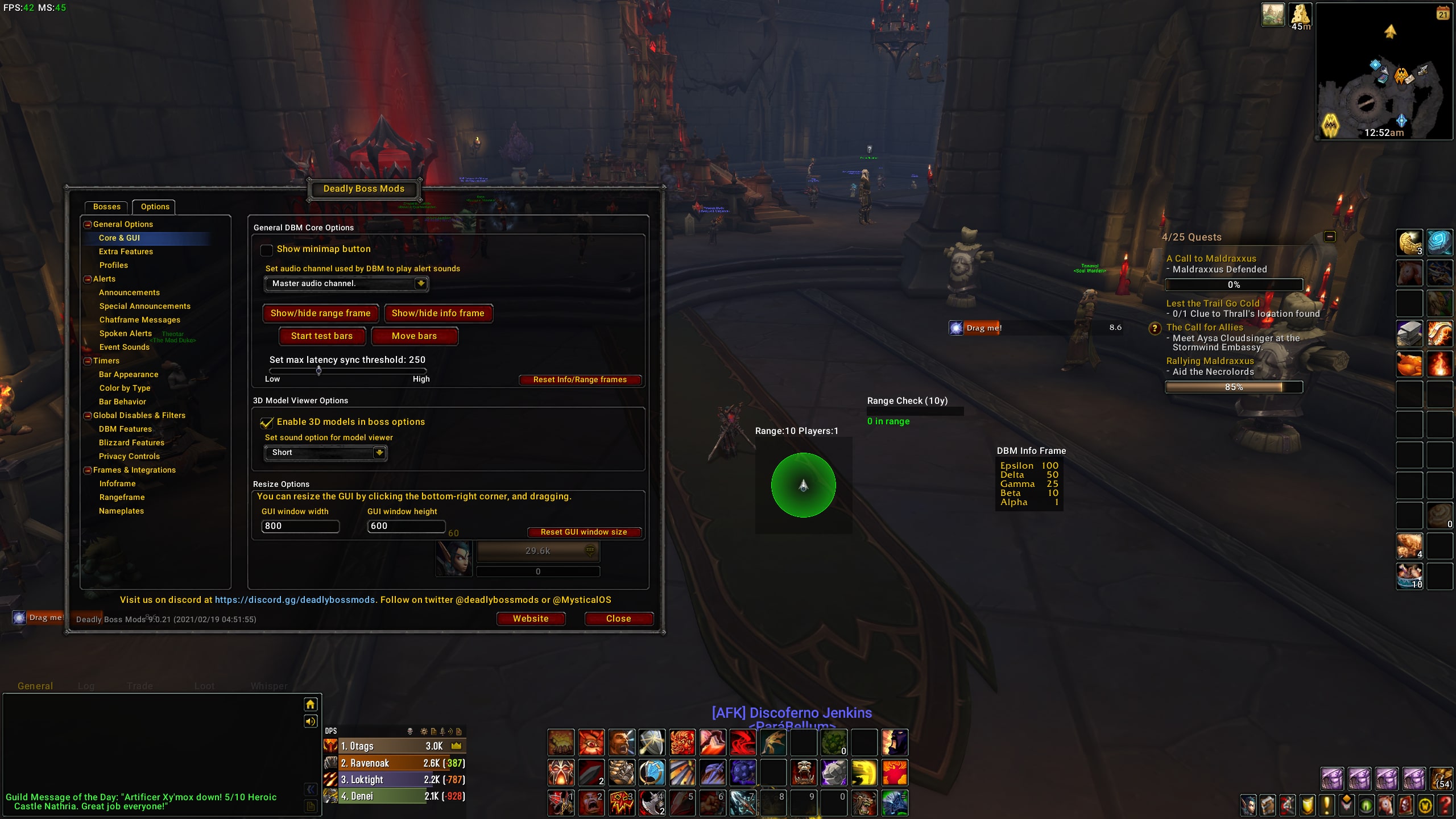
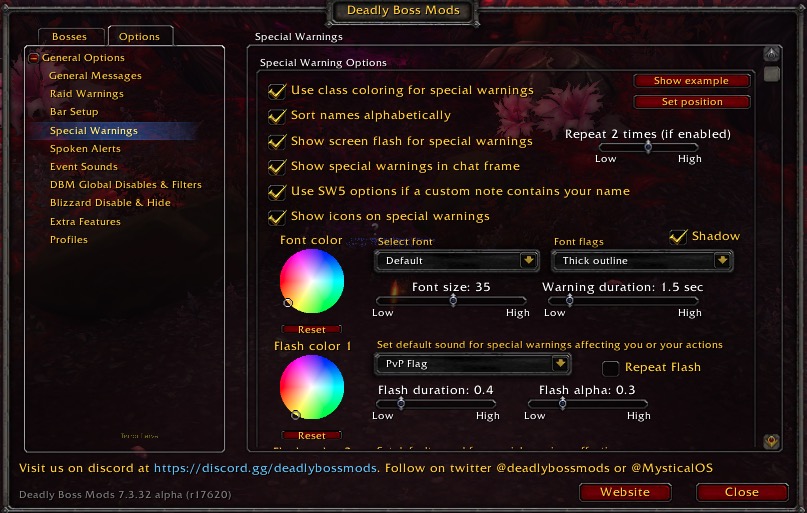
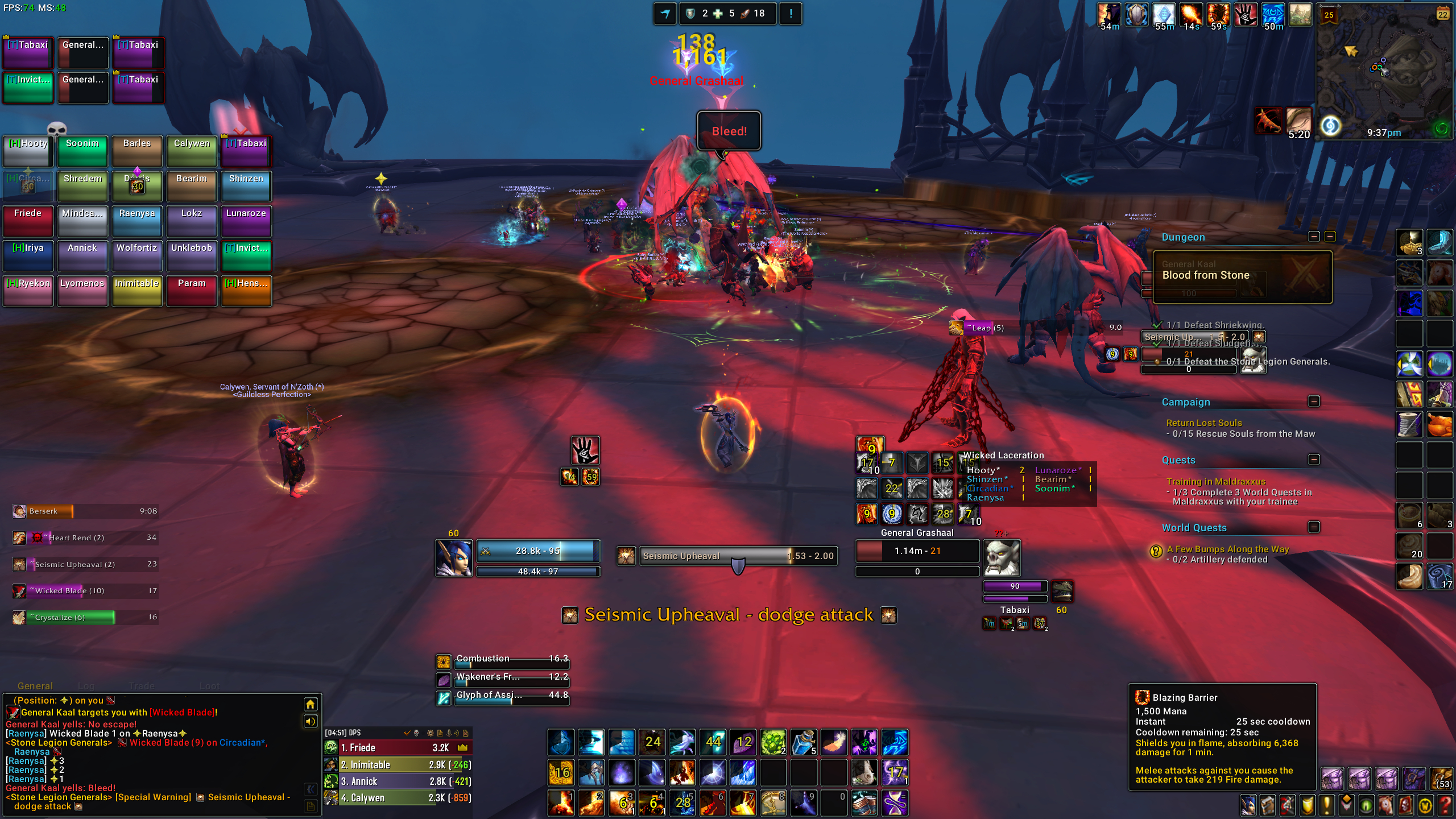
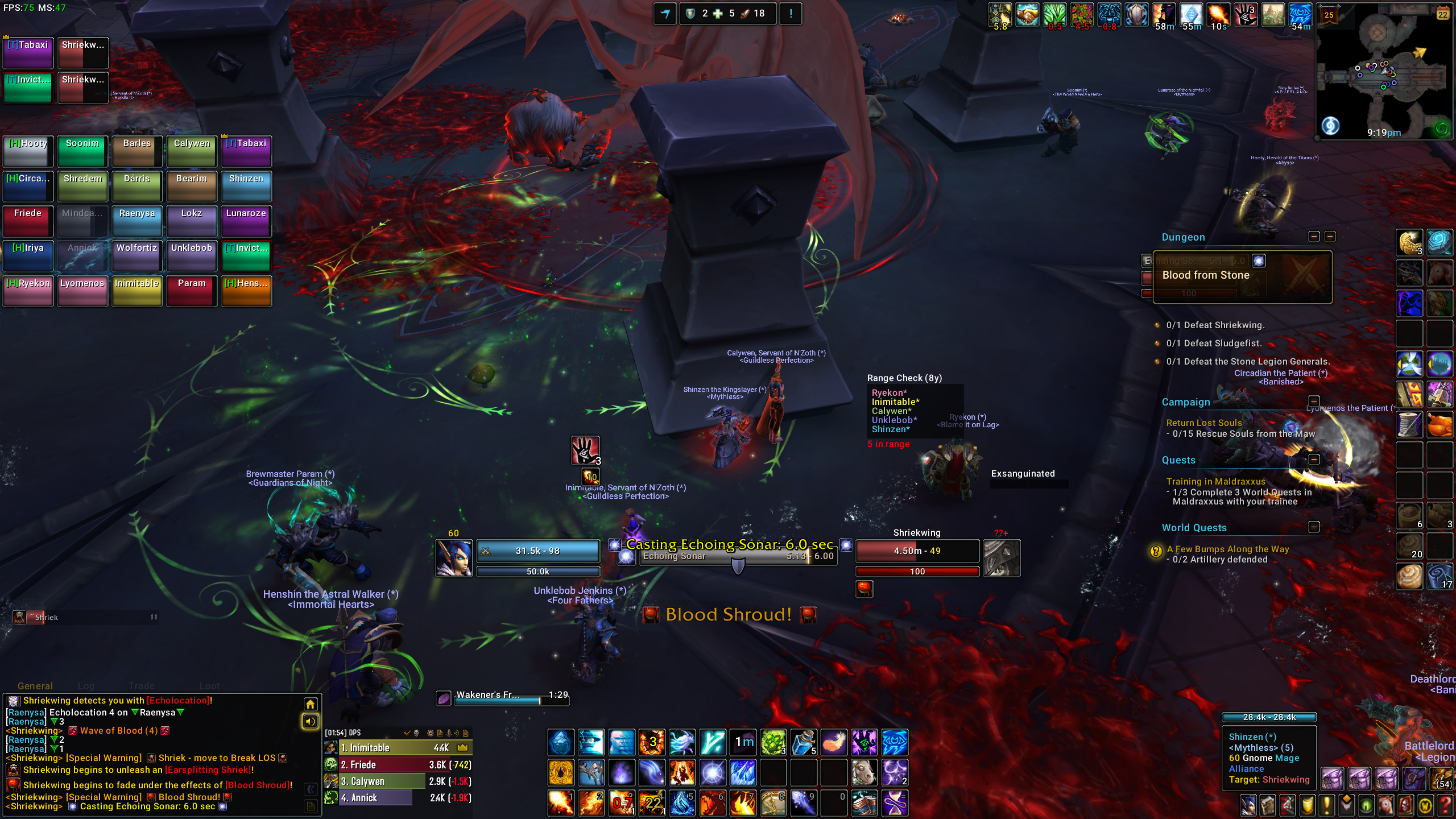
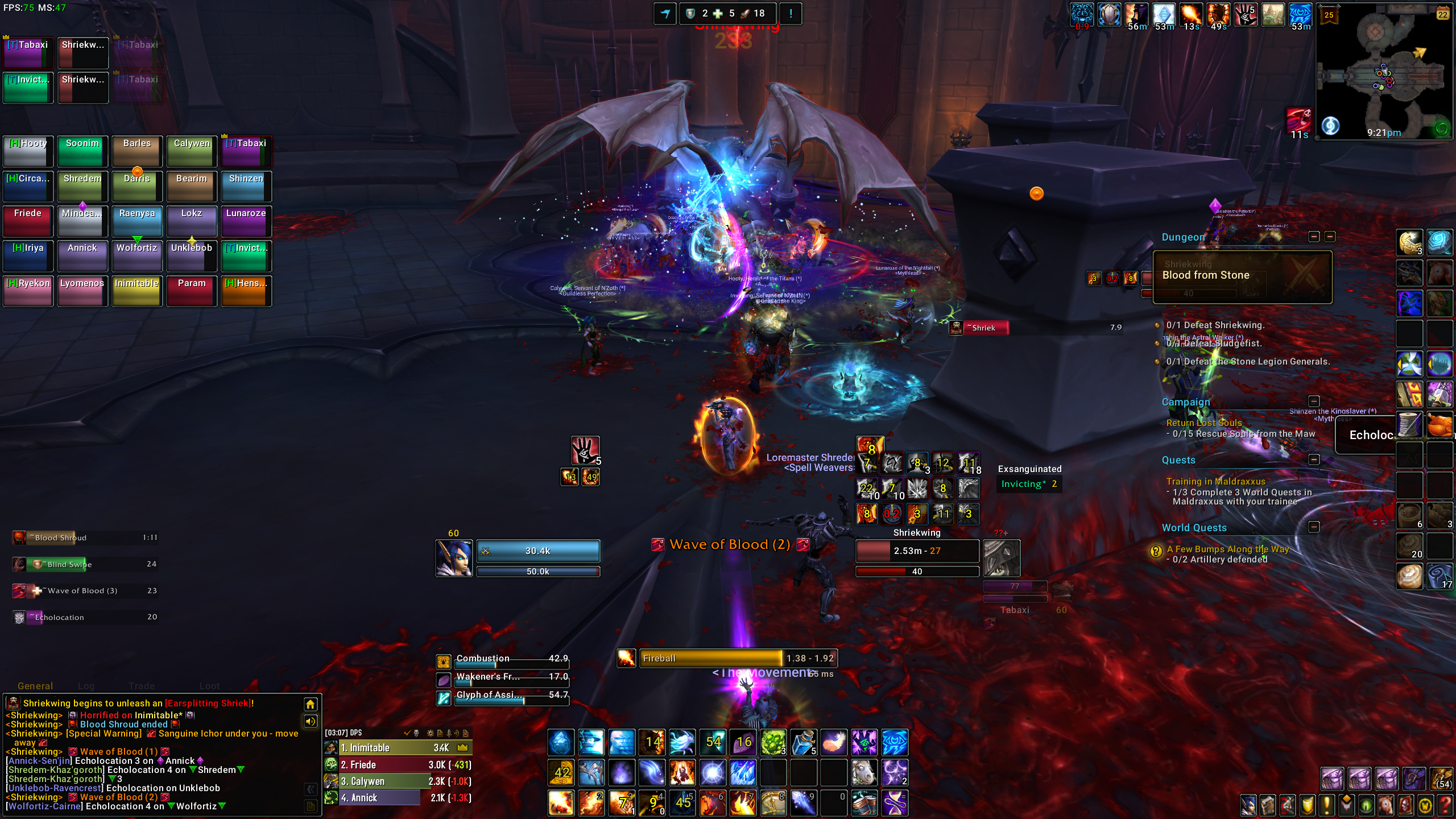
DBM has have built in profiles support. Here is what you need to know
- This has no connection to the old 3rd party solution “DBM-Profiles” which has been around a while and used ace profiles. if you did use “DBM-Profiles”, this MUST be uninstalled before using DBM or it’ll cause a lot of errors to occur and could damage your settings beyond repair.
- Saved stats are stored per character and can’t be shared between characters (at least from DBM GUI).
- DBM-Core has a default profile that controls only things related to core. Bar positions. Special warning colors, range finder location. Etc. All core functions. You are able to create different profiles if you wish to save diff bar positions or whatever for different characters and UIs if you wish. you can see this below in top of screen shot. Sadly core profiles have no automatic switching based on spec or role at this time.
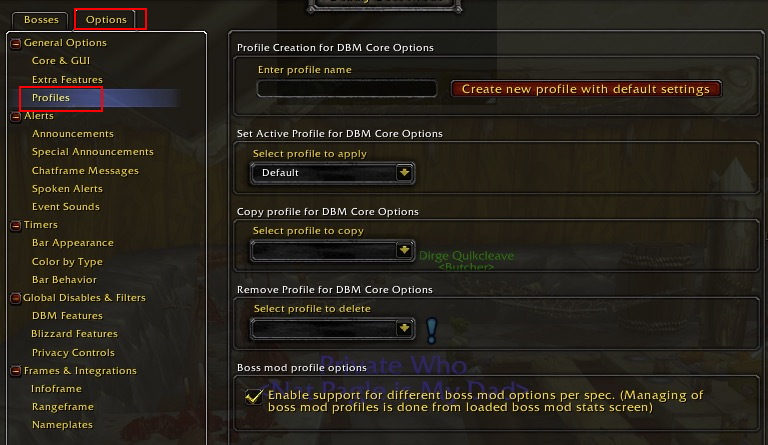
- DBM has separate profile behaviors that can be used specifically for mod configurations. You can see that above in bottom of above screen shot. These do use automatic switching based on current spec/role and that automatic switching cannot be disabled without disabling profiles feature.
- By Default, DBM will use single profile for classes that only have a single role (such as warlock and rogue). it won’t do anything fancy or change options at all. It’ll use same settings for all specs. You have to enable option to support different options for each spec. For any other spec, profiles feature is on by default.
- When enabled. DBM will automatically generate new default options for boss mods for each spec. You can see details for this below
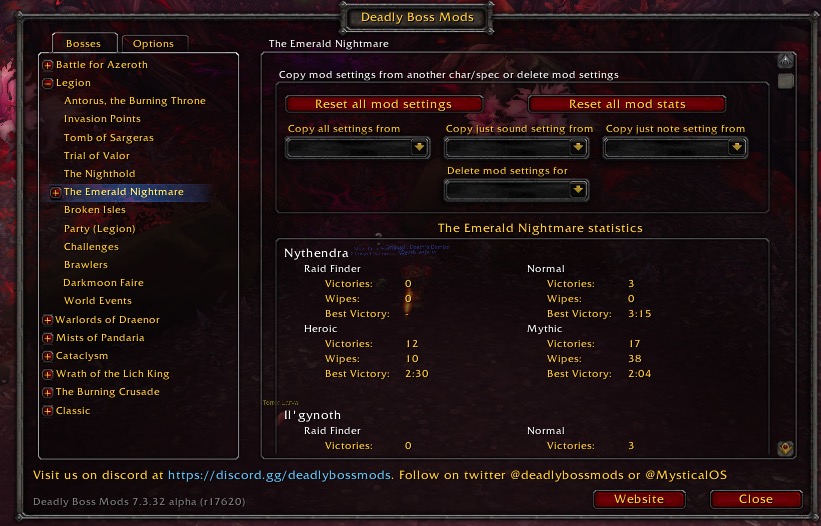
- You are able to copy mod options from other specs, even other characters on your account (once you’ve logged into them and migrated their settings to the new account bound system. You can see details for this below
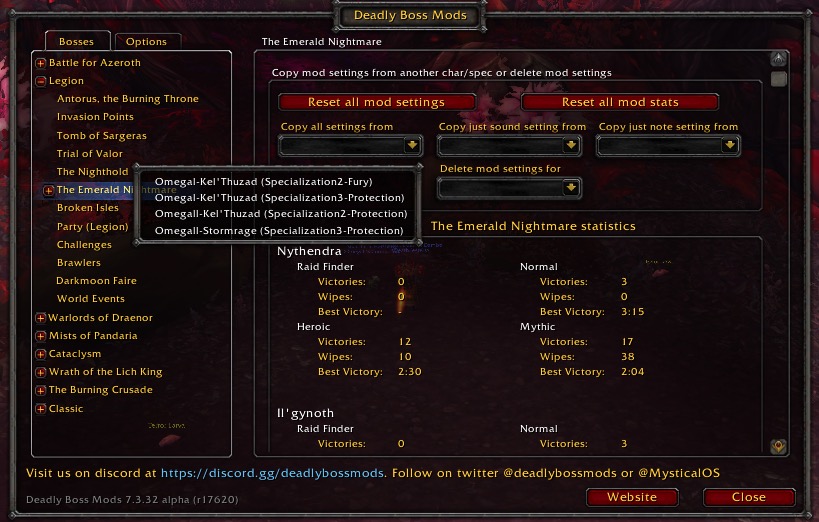
- To summerize, DBM-Core has manual profile systems where you have to create and manage profiles on your own (hope to fix this one day). Mods have automatic profile system that you can NOT manage on own, it’s automatically managed when you change specs (again hope to create more user options one day).
Support on Patreon:
https://www.patreon.com/deadlybossmods (click “become a patron)
Support on Twitch:
https://www.twitch.tv/mysticalos/ (click subscribe at top)
Support through Paypal
This is a 3rd option if you don’t really like “man in the middle” where you can either support a single time or even setup recurring through Paypal. However, this method has zero benefits as there is no way to really setup any kind of automation for it.
https://www.paypal.com/cgi-bin/webscr?return=https://wow.curseforge.com/projects/deadly-boss-mods?gameCategorySlug=addons&projectID=3358&cn=Add+special+instructions+to+the+addon+author()&business=mysticalos%40icloud.com&bn=PP-DonationsBF:btn_donateCC_LG.gif:NonHosted&cancel_return=https://wow.curseforge.com/projects/deadly-boss-mods?gameCategorySlug=addons&projectID=3358&lc=US&item_name=Deadly+Boss+Mods+(DBM)+(from+curseforge.com)&cmd=_donations&rm=1&no_shipping=1¤cy_code=USD
&business=mysticalos%40icloud.com&bn=PP-DonationsBF:btn_donateCC_LG.gif:NonHosted&cancel_return=https://wow.curseforge.com/projects/deadly-boss-mods?gameCategorySlug=addons&projectID=3358&lc=US&item_name=Deadly+Boss+Mods+(DBM)+(from+curseforge.com)&cmd=_donations&rm=1&no_shipping=1¤cy_code=USD)
Support through Amazon:
From time to time I might put work related stuff on personal wishlist. Mind you I don’t expect anyone to get anything off this list, especially stuff not work related, but it’s an option if none of above seem appealing. https://www.amazon.com/hz/wishlist/ls/3 … _=wl_share
Supporting DBM helps me continue to focus on DBM full time with unparalleled dedication while also enabling me to be a most available caregiver to mother. You can read more about me and my story on patreon or the “status update” thread on here to know about this journey, it’s ups and it’s downs, and commitment to provide high quality mods with your support. I could not do this without all of you.
Continued support will always still needed to keep the ball rolling though. Despite last years huge surge, most of that surge is long gone and all eaten away by a mountain of medical costs. Many supported me when my health was in need and I’ll always be greatful for those that supported me through that. However, the great majority of that support was for me (and not DBM) and very short term, from those who read my story. Now, I need people to continue support and believe in the work that I do, for the long haul. Lets keep making DBM together for years to come. Join the discord, sport your discord support rank and enter discussion with myself and other members of this great and large DBM community in both public and private supporters channels. 🙂
Here is a break down of supporter benefits
Uncommon (Patreon):
- Access to Patron only feed on this site and a special “Uncommon” supporter color on DBM Discord server (Patreon Only)
- Access to Supporter only discord channel on DBM Discord, which may have additional DBM status updates and conversations.
- You gain the ability to embed links on DBM Discord Server.
Rare (Patreon):
- Includes benefits of uncommon rank, but with “Rare” supporter color on DBM Discord server
- In addition, if you are a Discord Nitro user, you can use cross server emoji on DBM Discord.
Rare Titanforge (Patreon)/ Twitch Subscriber (Tier 1+):
- Includes benefits of previous ranks
- In addition, you can also embed files/images in Discord (great for the gifs/memes channel)
- Access to twitch emotes, including access to them on any discord server. (Twitch only)
Epic (Patreon)/ Twitch Subscriber (Tier 2+):
- Includes benefits of previous ranks, but with “Epic” supporter color on DBM Discord server
- In addition, if you’re a twitch streamer, your stream will be advertised by bumping you to top of the Discord user list with LIVE role any time you’re live.
Legendary (Patreon)/ Twitch Subscriber (Tier 3+):
- Includes benefits of previous ranks, but with “Legendary” supporter color on DBM Discord server
Artifact (Patreon)
- Includes benefits of previous ranks, but with “Artifact” supporter color on DBM Discord server
- In addition, you will also gain contributor rank in discord and have access to and be able to take part in behind the scenes development conversations and your opinion in this conversaitons will matter strongly.
Patreon Pros:
- Patreon only takes between 5-10% for their fees, giving most of your support to creators.
- Patreon gives access to more support options. You can give as little or as much as you want using more tier options or the custom option to plug in your own support amount. If you want to give 3.54 for some reason, you can.
- Patreon has clear and defined goals that let users know where DBMs support stands
- Patreon has better discord integration that allows PER tier discord roles. This allows incrementally better rewards the higher the users sub tier.
Patreon Cons:
- Not everyone likes Patreon, or wants to create a new account for it.
- Patreon is blocked in some countries (like China)
- User has no control at all over billing date. It’s always 1st of month, period. If you don’t have funds on 1st Patreon will keep retrying throughout month, but people don’t like this lack of control.
Twitch Pros:
- Twitch gives access to Twitch only features (like emotes).
- Twitch integrates directly with Twitch client/curseforge, the number 1 platform for Addon distribution. This means you probably already have an account. The sub button will literally appear on addon page on client.
- If you have Amazon prime, you are provided with a free once a month sub at NO ADDITIONAL COST to you. If you aren’t using your free sub for another author or streamer, you can use it on DBM and not let it go to waste. Caveat, it doesn’t auto renew, so you have to use it manually once a month.
- Twitch lets you control when you are billed. If you sub on 5th, you are billed every month on 5th.
- Users who don’t have access to Patreon do to country blocks can offer their support via Twitch
Twitch Cons:
- Twitch takes about 50% of your support amount for their fees (ouch). A lot less of your support actually reaches the creator.
- Twitch has less financial options. You can only do subs for 5, 10, or 25, period. This Means no less than 5 dollar options or greater than 25 options and far less options in between as well.
Why are you suddenly offering Twitch options?
- To be honest, this is always something I thought would be pretty cool, it just wasn’t something Twitch supported for addon authors, until now. Twitch just started offering this as an experiment on their side.
- It’s good for users to have more options. Especially users who do not have access to Patreon
Which should I use?
- As a creator, I’m biased to say Patreon has far lower “man in the middle” fees than twitch. If you can use Patreon, this is ideal way to give support. If you’re already a Patreon supporter, #nochanges
- However, I also fully recognize many avoid Patreon for various reasons and Twitch gives an alternative option to those who do not want to (or can not) use Patreon and has great potential to bring in new support.
- I also recognize that some current Patreon supporters likely will prefer twitch and might move their sub over to it, which will likely have a fairly negative financial impact to addon authors initially, but will hopefully balance out by the new users that are brought in.
What about Discord integration?
- Patreon integration supports custom role assignments to every single sub tier level. As such, Patreon users receive additional perks at higher tiers that Twitch users sadly do not get access to.
- Twitch integration seems to only offer syncing of subs to a single role, regardless of sub tier. This means tier 3 2 and 1 subs all go to a single “Twitch Subscriber” role. As such, it makes it difficult to offer additional perks (on discord) for tier 2 and 3.
- While I wanted to match Tier 1 2 and 3 Twitch subs to existing 5 dollar, 10 dollar and 25 dollar patreon tiers, it’s simply not possible at this time. As such, all twitch subs are matched to the 5 dollar Titanforged Rare tier and benefits. If the Twitch integration improves in future, I’ll grant access to the “Epic” and “Legendary” tiers to tier 2 and tier 3 Twitch subs. Twitch does gain access to cross server access to DBMs twitch emoji’s though.
- All the tiers are broken down above that explain what is unlocked as a Patreon sub or as a Twitch sub.
FAQs
When out of combat the DBM windows can be moved rather easily by opening the Options with ‘/dbm‘ and going to General Options > Core & GUI and clicking Move Bars.
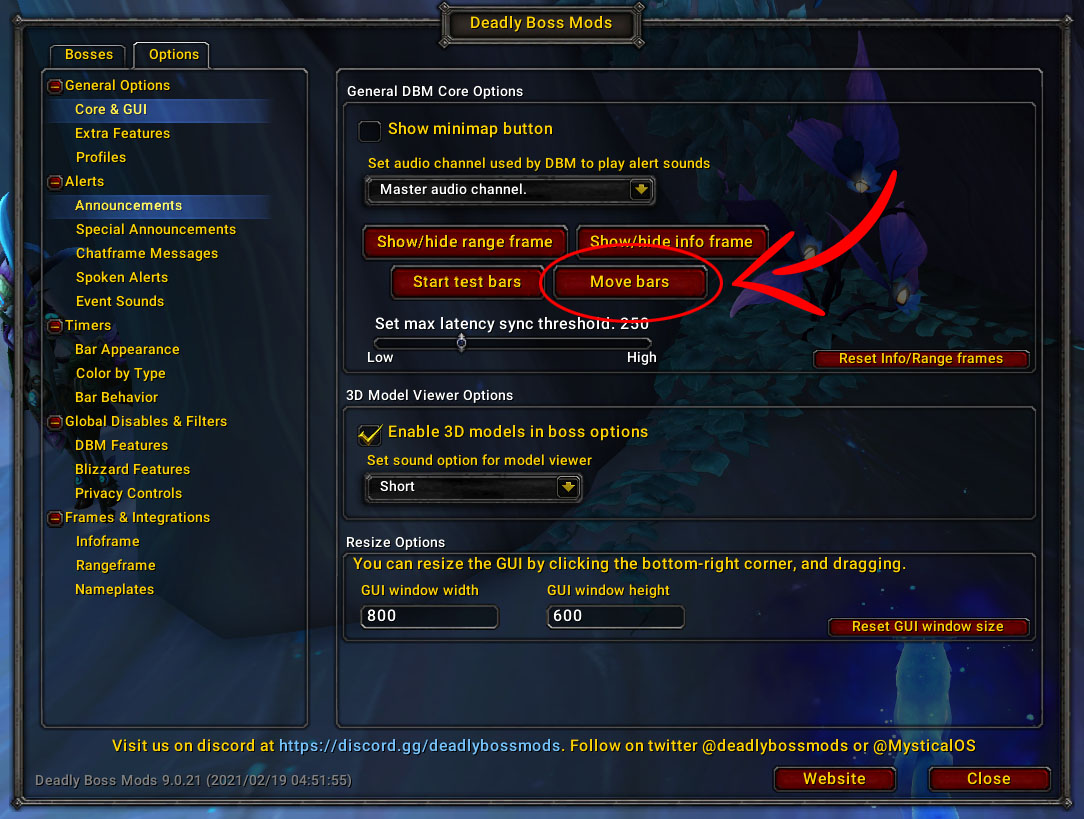
Report the bug on Discord or on the Github Issue Tracker.
This is DBM interrupts, disable/uninstall it.
There are multiple resources online depending upon your comfort level:
- Deadly Boss Mods (DBM) Guide for Beginners
- DBM Wiki – API and Usage documentation